Tata Technologies
Future Mobility InnovationAutonomous Driver Recognition &
AI-Powered Driver Digital Twin
A premium, animated software prototype demonstrating continuous biometric learning, predictive cockpit personalization, fatigue guard, and fleet telemetry for Next-Gen luxury cars.
Engineered Core Capabilities
Simulating continuous driver state adaptations via connected real-time panels.
Biometric Driver Recognition
Instant facial, vocal, and BLE key identification directly on vehicle edge CPU.
Intelligent personalization
Auto-loads custom seat recline, mirror angles, and styling themes per driver profile.
Selective Climate Controls
Intelligent AC and blower controls that react to styles, timings, and custom voice overrides.
Safety Fatigue Shield
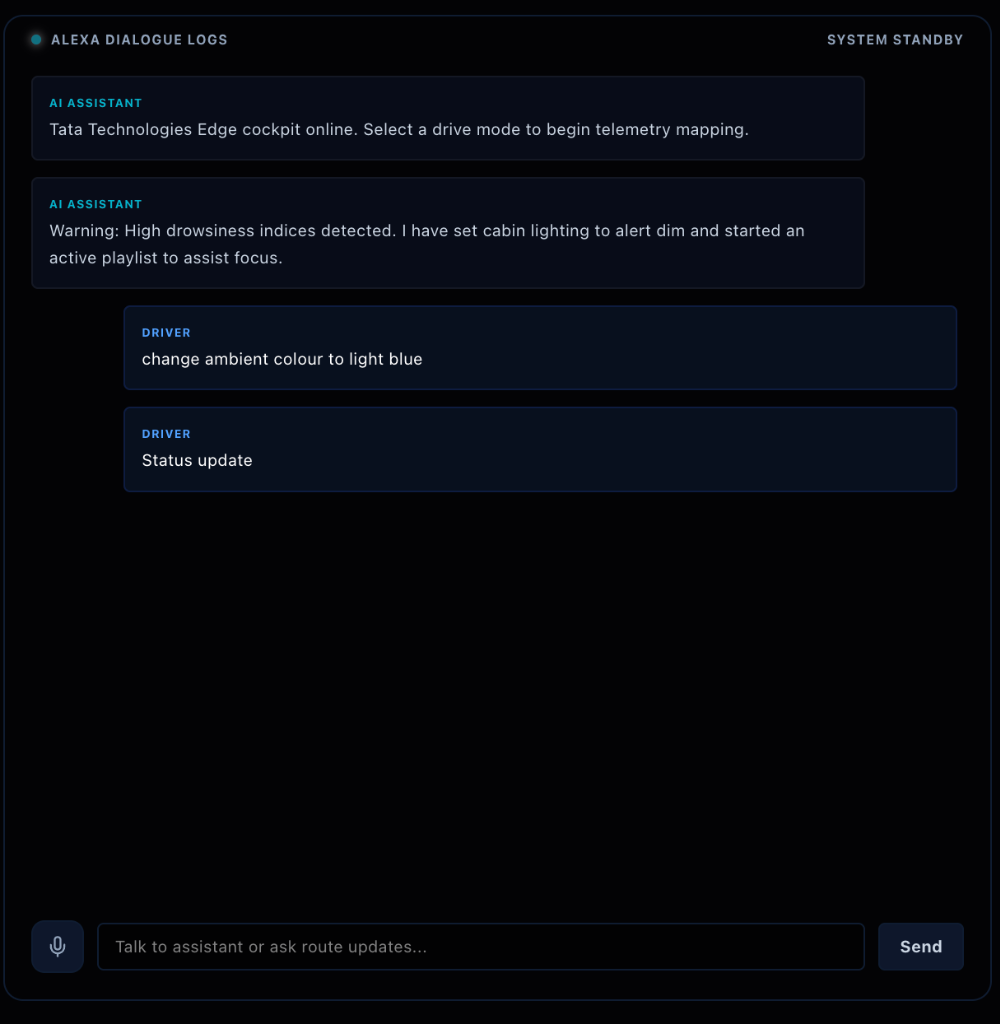
Biometric alerts that activate dim ambient safety lighting and upbeat playlists during high drowsiness.
NLP AI Voice Assistant
Natural language speech and text dialogue processing to command vehicle components.
System Logs Registry
Central system registry tracking telemetry records, database actions, and API events.
How to Use the Simulator
Follow these simple steps to explore the AI Driver Digital Twin cockpit capabilities.
Select an Operational Driver Profile
Start by choosing one of the three configured driver profiles on the centered login panel:
- Driver (Raj Kumar): Defensive telemetry, electric blue cockpit aesthetics.
- Owner (Male - Prasoon Mathur): Custom technical theme, crimson color profile.
- Owner (Female - Aditi Sharma): Sporty driving profile, cyan-purple cockpit layout.
Once clicked, the simulator verifies your facial and vocal biometric tables, establishing a secure connection to the MongoDB cluster database.
Trigger Preset Drives & Monitor Cockpit HUD
Inside the simulator console, engage one of the drive presets (Calm AM, Aggr PM, Fun Night) or build a Custom Manual drive:
- Live Speedometer: Watch the HUD speedometer accelerate up to target driving speeds.
- Intelligent AC Climate: Binds automatically to drive styles and timing (e.g. setting cooler targets during afternoon aggressive runs).
- Fatigue Safety Overrides: Setting fatigue to High triggers automatic cold climate ventilation and alerts.
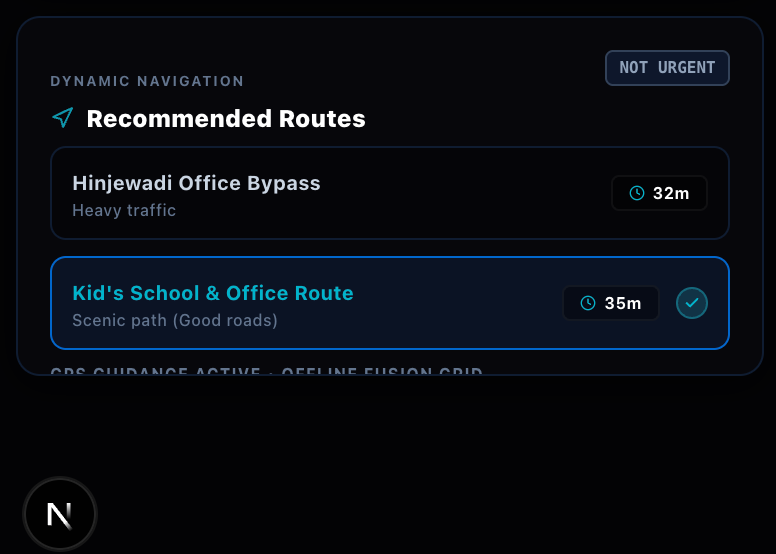
- Route ETA reduction: Route travel times decrement dynamically every 15 seconds to simulate drive progress.
Interact with AI Voice & Speech Controls
Use the natural language dialogue logs panel to customize your environment. Click the Microphone icon to speak or type commands:
- AC Controls: Speak "set AC temperature to 27" or "set blower speed to 2" to update variables independently.
- Ambient Lights & Music: Ask the AI to "change ambient color to purple" or "play jazz music".
- Waypoint Routing: Ask to "navigate to school" or "give directions to movie theatre" to update recommended HUD routes.
Natural Language Processing Engine
Connected to a dynamic regex word boundary parser, mapping instructions to specific JSON payload actions immediately.